
Retail POS
& Inventory.
Software for Sri Lankan Supermarkets, Textile & Hardware Stores.
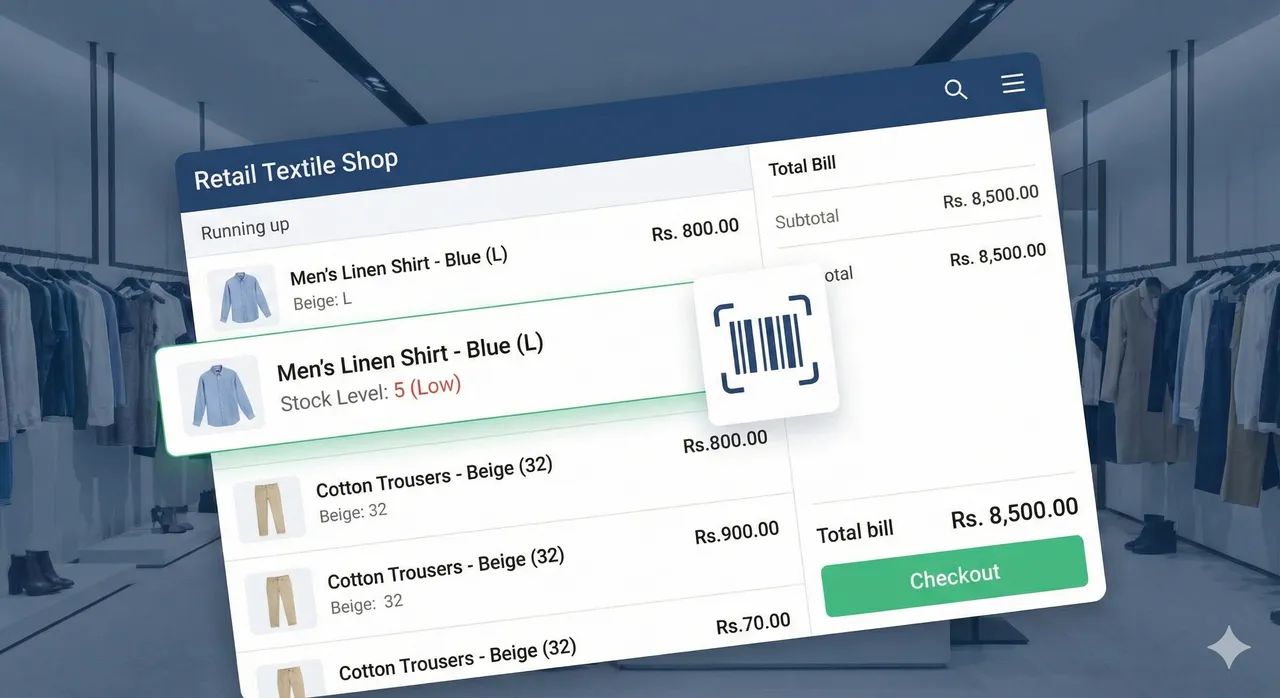
Manage 10,000+ SKUs with ease. Handle barcodes, multi-branch stock transfers, and customer loyalty from a single dashboard.
Complex Inventory?
Consider it Solved.
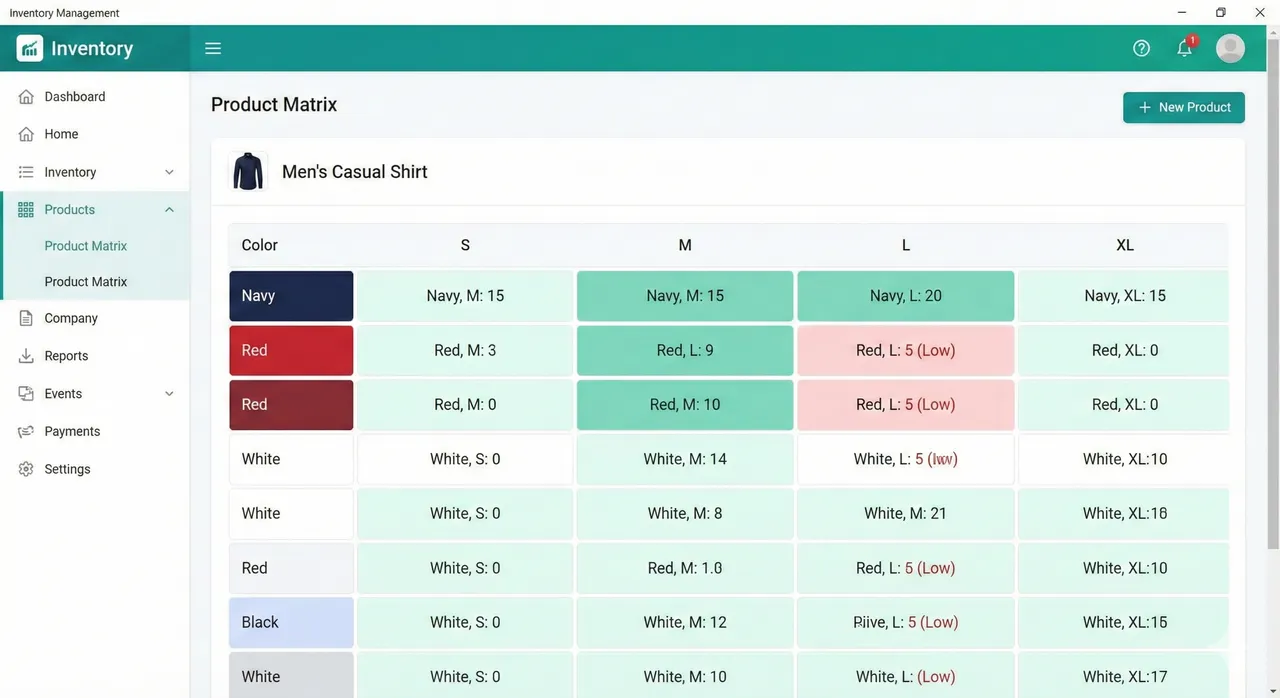
Perfect for Fashion & Footwear. Stop creating thousands of separate items. Use our Product Matrix to handle Sizes, Colors, and Styles in a single grid.
- Matrix Grid: View stock for (Small, Medium, Large) x (Red, Blue) in one view.
- Variant Barcodes: Auto-generate unique barcodes for every size/color combo.
- Bulk Pricing: Update prices for all sizes in one click.
Everything a Retailer Needs
From the checkout counter to the warehouse.
Lightning Checkout
Scan, hold bill, park sales, and process payments in seconds. Designed for high queues.
Multi-Branch Cloud
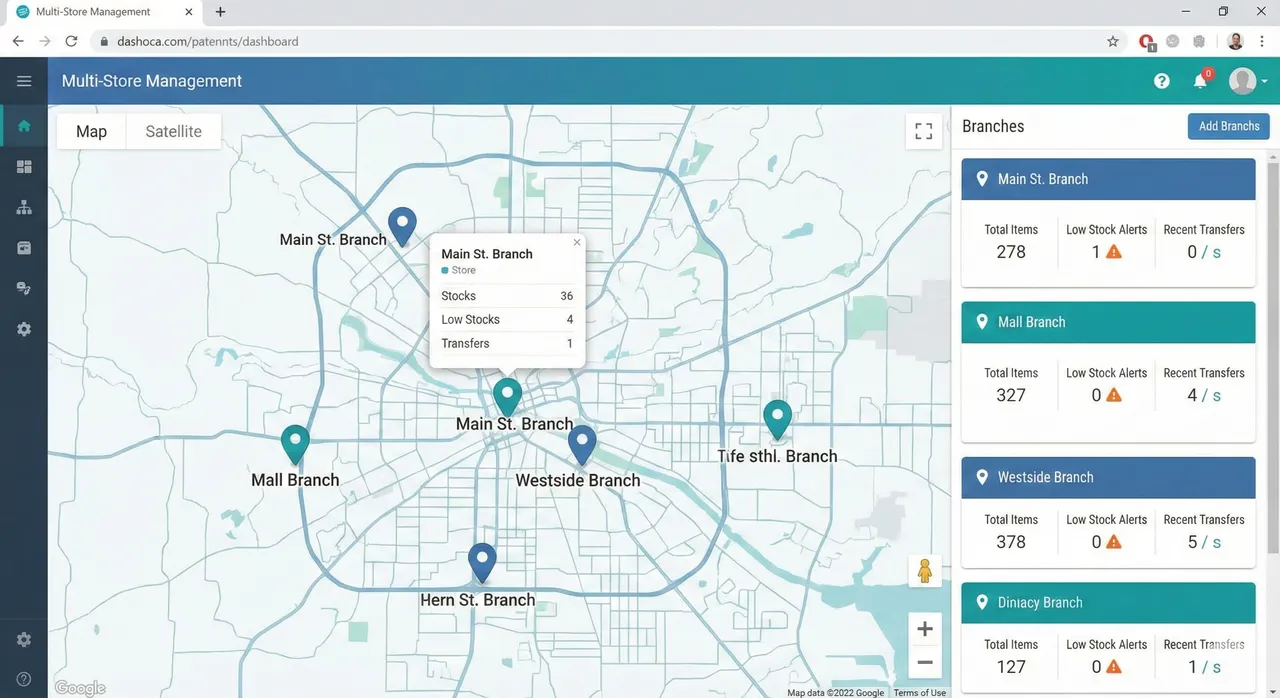
Monitor all your outlets from home. Transfer stock between branches instantly.
Customer Loyalty
Issue points for every purchase. SMS marketing integration included.
Smart Procurement
Auto-generate Purchase Orders (PO) based on low stock levels and sales history.
P&L & Accounts
Track daily expenses, petty cash, and view net profit reports in real-time.
Hardware Support
Works with barcode scanners, thermal printers, cash drawers, and weighing scales.
One Office. Unlimited Branches.
Scale your business without the headache. Our centralized cloud dashboard lets you view stock levels across all locations, authorize stock transfers, and set different prices for different regions.
Data Driven Decisions
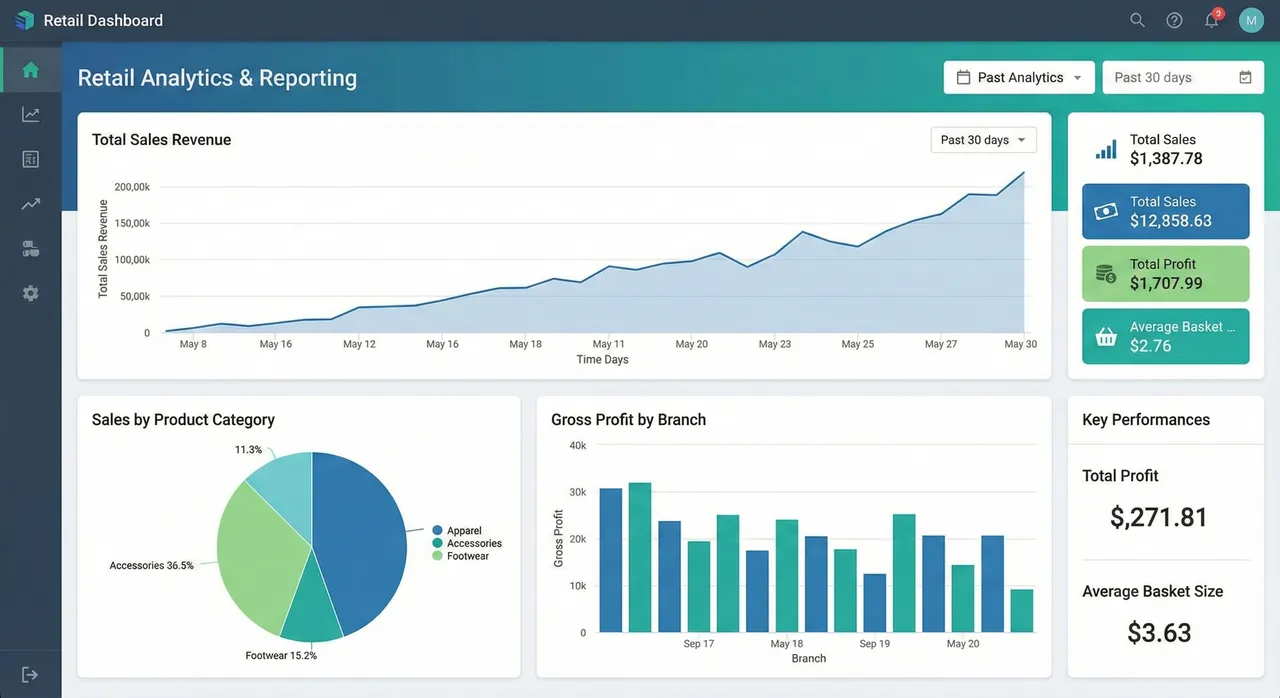
Know your best sellers, your dead stock, and your busiest hours. Our comprehensive reporting suite gives you the insights you need to optimize inventory and increase profits.
- Fast Moving vs Slow Moving Items
- Hourly Sales Heatmap
- Supplier Payment Tracking
Before you switch systems
Plan your retail POS around the way your shop trades.
A single textile counter and a supermarket with several tills need different preparation. Use your own products, labels and branch movements to agree the scope before installation.
Products and opening stock
Prepare a sample catalogue with item codes, barcodes, prices, sizes and colours where relevant. Identify duplicate items and agree how opening quantities will be checked. Confirm the import format and who prepares and validates the data.
Checkout equipment
List cashier devices, scanners, receipt printers, cash drawers and scale models. Bring sample weight-embedded barcodes for supermarket testing. Ask the team to confirm compatibility for each device and the actual checkout workflow.
Branches and responsibilities
Count shops, tills and warehouses separately. Agree who manages prices, approves transfers and reviews reports. Include any accounting or other integration in the written scope, along with training, support hours and the go-live plan.
What should the quote cover?
Ask for separate software, equipment, data preparation, installation, training and support costs. Confirm the outlet and terminal counts, any selected integrations, taxes and recurring charges. Pricing should follow the agreed retail scope.
Bring one real transaction to the demo.
Scan one of your products, choose a size or colour, complete the sale and inspect its stock and report entries. For multiple shops, also review an inter-branch transfer and the head-office view.
Common Questions
Ready to upgrade your shop?
Join hundreds of retailers in Sri Lanka using CXPOS to grow their business.
Chat with Sales